Top 10 Free AI Tools for Students in 2026
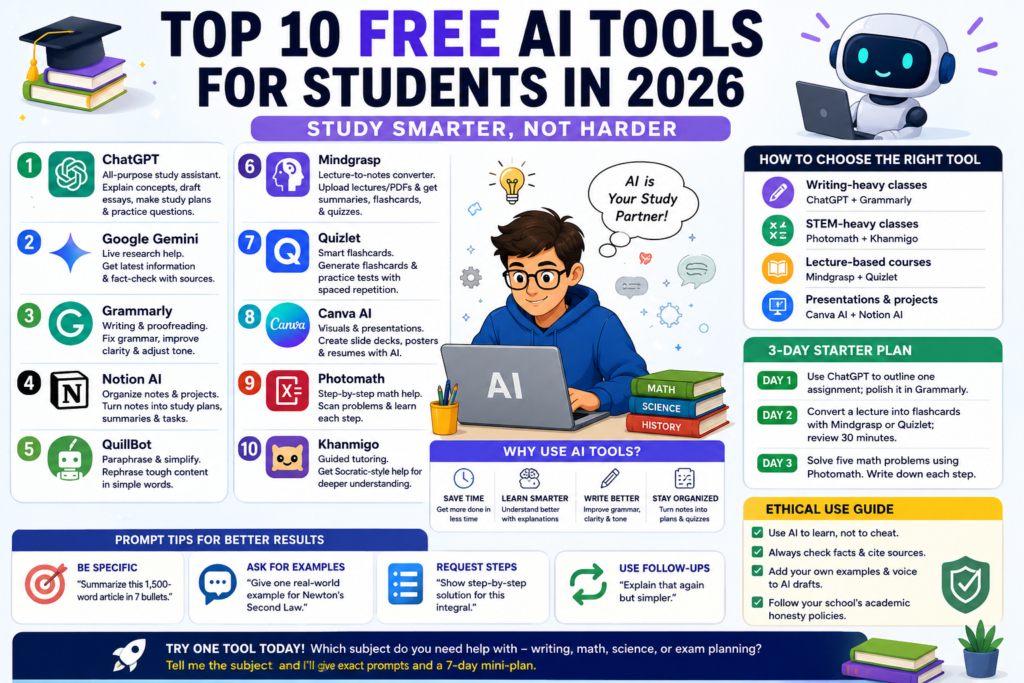
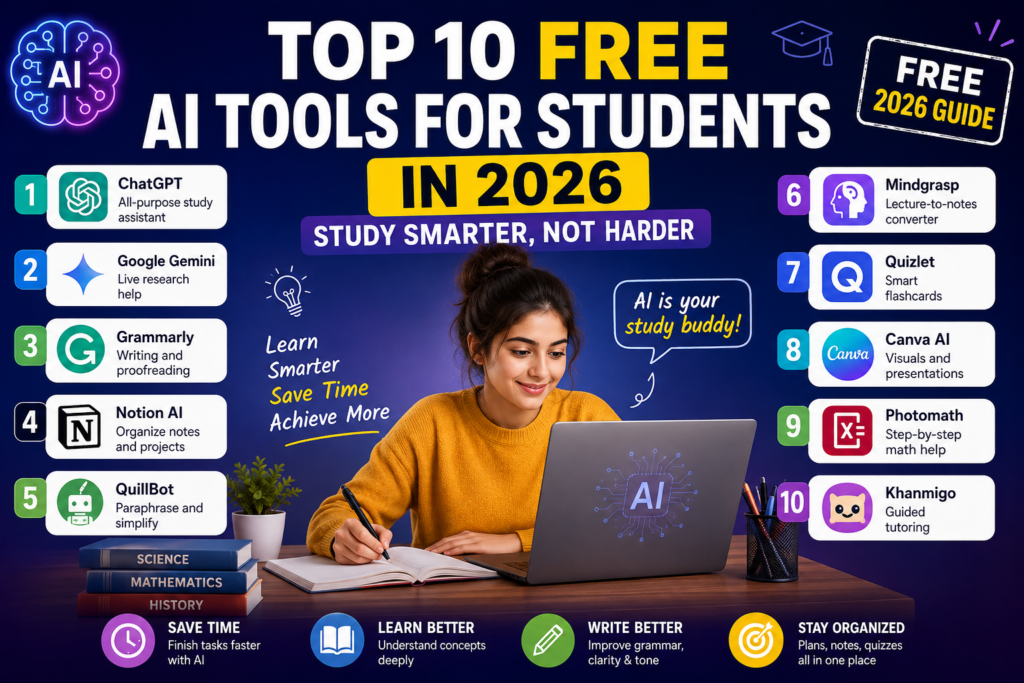
Top 10 Free AI Tools for Students in 2026 – Study Smarter, Not Harder
- ChatGPT – https://chatgpt.com
- Google Gemini – https://gemini.google.com
- Grammarly – https://www.grammarly.com
- Notion AI – https://www.notion.so/product/ai
- QuillBot – https://quillbot.com
- Mindgrasp – https://mindgrasp.ai
- Quizlet – https://quizlet.com
- Canva AI – https://www.canva.com/ai-image-generator/
- Photomath – https://photomath.com
- Khanmigo – https://www.khanacademy.org/khan-labs
Intro
Feeling overwhelmed by exams, assignments, or nonstop reading? AI tools can help you study faster, understand tricky topics, and write better — without doing the thinking for you. Here are the top free AI tools students around the world can use in 2026, plus practical tips, prompt examples, and an ethical guide.
Why use AI tools for studying
- Save time: Summaries, outlines, flashcards in seconds.
- 2. Learn smarter: Step-by-step explanations tailored to your level.
- 3. Write better: Grammar, clarity, and tone edits.
4. Stay organized: Turn scattered notes into study plans and quizzes.
Top 10 free AI tools for students (short descriptions + use tips)
AIhttps://thegrowthformulas.com/top-11-best-free-ai-tools-in-2026/
1. ChatGPT
All-purpose study assistant
Use it to explain concepts, make study plans, draft essays, and generate practice questions. Prompt example: “Explain cellular respiration for a first-year college student in 5 bullet points.”
2. Google Gemini
Live research help
Great for current events and fact-checking. Prompt example: “Summarize the latest IPCC findings on climate change in 6 bullets with sources.”
3. Grammarly
Writing and proofreading
Use Grammarly to fix grammar, adjust tone, and polish essays before submission.
4. Notion AI
Organize notes and projects
Turn lecture notes into weekly study plans and clean summaries that you can review fast.
5. QuillBot
Paraphrase and simplify
Rephrase tough paragraphs into simpler language so you understand them better.
6. Mindgrasp
Lecture-to-notes converter
Upload recorded lectures or PDFs to get summaries, flashcards, and quizzes automatically.
7. Quizlet
Smart flashcards
Auto-generate flashcards and practice tests; use spaced repetition for memorization.
8. Canva AI
Visuals and presentations
Make clean slide decks, posters, and resumes quickly with AI templates.
9. Photomath
Step-by-step math help
Scan problems and learn the steps instead of copying answers. Use it as a learning aid, not an answer key.
10. Khanmigo
Guided tutoring
Work through concept-focused lessons and get Socratic-style help for deeper understanding.
How to choose the right tool
- Writing-heavy classes: ChatGPT + Grammarly.
- STEM-heavy classes: Photomath + Khanmigo.
- Lecture-based courses: Mindgrasp + Quizlet.
- Presentations and projects: Canva AI + Notion AI.
Ethical use guide
- Use AI to learn, not to cheat.
- Always check facts and cite sources if used in research.
- Add your own examples and voice to AI drafts.
- Follow your school’s academic honesty policies.
3-day starter plan
Day 1: Use ChatGPT to outline one assignment; polish it in Grammarly.
Day 2: Convert a lecture into flashcards with Mindgrasp or Quizlet; review 30 minutes.
Day 3: Solve five math problems using Photomath. write down each step.
Prompt tips for better results
- Be specific: Summarize this 1,500-word article in 7 bullets.
- Ask for examples: Give one real-world example for Mendel’s second law.
- Request steps: Show step-by-step solution for this integral.
- Use follow-ups: Explain that again but simpler.