Best AI Accounting Tools
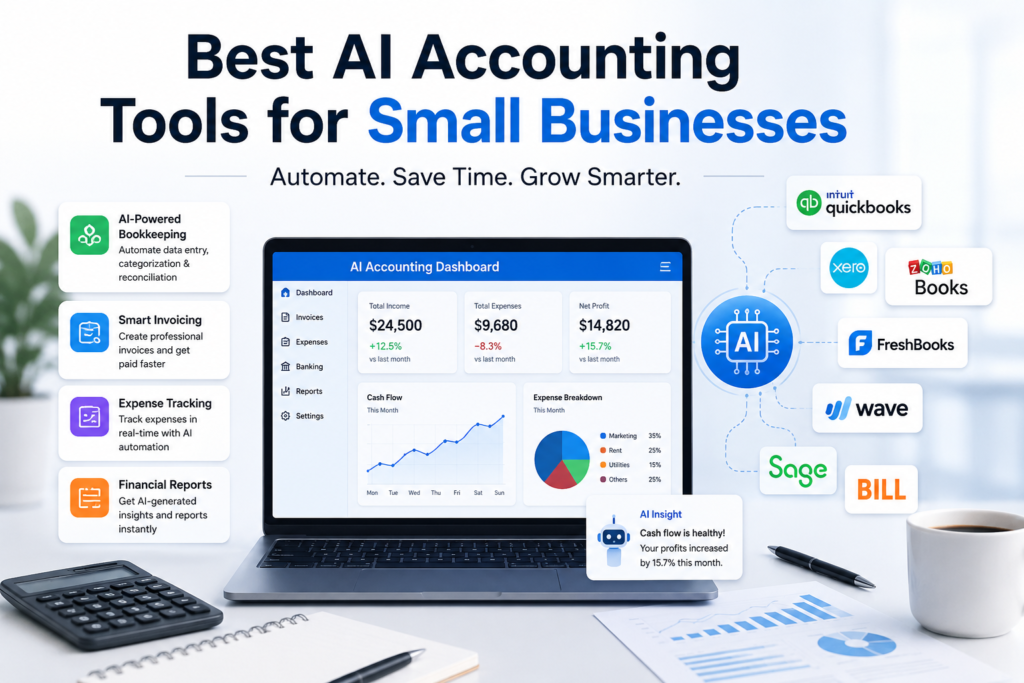
Best AI Accounting Tools for Small Businesses in 2026
Running a small business means wearing a dozen hats, and “bookkeeper” is rarely the one anyone enjoys. Late invoices, messy receipts, and end-of-month reconciliation used to eat entire weekends. That’s changing fast. AI-powered accounting software now handles the repetitive grind – categorizing transactions, chasing invoices, flagging weird expenses, and even forecasting cash flow – so you can spend less time in spreadsheets and more time running your business.
Here’s a practical look at the best AI accounting tools for small businesses right now, what makes each one stand out, and how to pick the right fit.
Why AI Accounting Tools Matter for Small Businesses
Traditional accounting software just recorded what you told it. AI-powered platforms go further: they read invoices and receipts automatically, learn how you categorize expenses over time, catch anomalies before they become problems, and answer plain-English questions about your finances. A growing trend this year is conversational AI, where tools like QuickBooks’ Intuit Assist let you type something like “why did my expenses spike in March?” and get an instant, specific answer instead of digging through reports yourself.
For a small business, that translates into real savings. Where a full-service accountant might run $2,000–$5,000 a month and a part-time bookkeeper $1,500–$2,500, most AI accounting platforms cost somewhere between $20 and $80 a month. That doesn’t mean you’ll never need a human accountant – tax strategy and complex filings still benefit from expert judgment – but day-to-day bookkeeping is increasingly something software can handle well on its own.
The Best AI Accounting Tools for Small Businesses
1. QuickBooks Online
QuickBooks remains the most widely used small business accounting platform, and that popularity is itself an advantage – most bookkeepers, accountants, and integrations already know it well. Its AI layer, Intuit Assist, automates transaction categorization, reconciliation, and financial insights, and works well for single-entity businesses that want dependable automation without a steep learning curve. It’s best suited to businesses under about 50 employees; multi-entity support and deeper automation are limited compared to more specialized tools.
2. Xero
Xero focuses on clean, day-to-day accounting: strong bank reconciliation, AI -assisted invoice matching, and a wide integration ecosystem. It’s a favorite among accounting firms and growing businesses that want solid fundamentals without unnecessary complexity, and it scales reasonably well as a business adds more transactions and users.
3. FreshBooks
FreshBooks is built for freelancers, solopreneurs, and small service businesses. Its AI-supported invoicing, expense tracking, and time-tracking features make it especially useful for anyone who bills clients by the hour or project. It’s less about heavy-duty accounting and more about making invoicing and expenses effortless.
4. Zoho Books
Zoho Books offers end-to-end coverage – invoicing, inventory, and expenses – in one place, with pricing tiers that scale from solopreneurs to growing teams. Its higher-tier plan adds deeper business-intelligence features, making it a solid pick for a business that expects to outgrow “simple” bookkeeping within a year or two.
5. Wave
Wave is a go-to option for very early-stage businesses and micro-businesses that need free or low-cost accounting basics – invoicing, receipt scanning, and simple reporting – without a large monthly bill.
6. Aspire
Aspire is aimed squarely at small businesses and startups, particularly those managing multi-currency accounts or cross-border payments. Its AI automates data extraction from invoices and receipts via OCR, which is a real time-saver for businesses juggling international vendors or clients.
7. BILL
BILL specializes in accounts payable and receivable automation. For a small business drowning in vendor bills or chasing customer payments, BILL’s AI-driven approval workflows and payment automation can cut hours of manual work each week.
8. Puzzle
Puzzle is a newer, AI-native bookkeeping tool built for startups and small teams that want automation from day one rather than retrofitting AI onto a legacy platform. It’s worth a look if you’re setting up your books from scratch.
Getting Started with AI Accounting: A Quick Action Plan
Choosing the right AI accounting tool is only half the battle – actually switching over is where most small business owners stall out. Here’s a simple plan to get from “researching tools” to “actually saving time” without the overwhelm.
1. Start with One Problem, Not the Whole System
Don’t try to overhaul your entire finance stack at once. Pick the single task costing you the most time -> invoicing, reconciliation, or chasing payments – and solve that first. You can always expand once the tool proves itself.
2. Run a Real Trial, Not a Demo
Most platforms offer a free trial. Use it with your actual bank feeds, real invoices, and a real month of transactions. A tool that looks great in a sales demo can behave very differently once it’s parsing your messy, real-world data.
3. Keep a Human in the Loop
AI is excellent at categorizing transactions and spotting anomalies, but it’s not a substitute for judgment on taxes, compliance, or major financial decisions. Treat it as a very capable assistant, not a replacement for an accountant when things get complex.
4. Migrate Gradually
Run your new tool alongside your old system for a full billing cycle before fully switching. This gives you a safety net and lets you confirm the numbers match before you trust the new platform completely.
5. Revisit Your Setup Every Few Months
AI accounting tools update fast – new features roll out constantly. What didn’t fit your business six months ago might be exactly what you need now. A quick quarterly check-in keeps you from missing useful upgrades.
The goal isn’t to chase every new AI feature – it’s to spend less time on bookkeeping and more time on the work that actually grows your business. Pick one tool, give it a real trial, and build from there.
How to Choose the Right Tool
The “best” AI accounting software isn’t the one with the longest feature list – it’s the one that fixes your actual bottleneck. A few questions to ask yourself:
- What’s eating the most time right now? If it’s chasing vendor payments, look at BILL. If it’s invoicing clients, FreshBooks or Zoho Books. If it’s general bookkeeping, QuickBooks or Xero.
- How complex are your finances? A solopreneur has very different needs from a 30-person company with multiple currencies or entities.
- What’s your budget? Most small-business tools land in the $20–$80/month range, though pricing climbs quickly with add-ons, users, or higher tiers.
- What do you already use? Check integrations with your bank, payroll provider, payment processor, and any CRM you rely on – switching costs are real.
The Bottom Line / final thought >>>>>
AI hasn’t eliminated the need for good financial judgment, but it has eliminated a lot of the tedious work that used to stand between small business owners and a clear picture of their finances. Whether you’re a solo freelancer who just needs clean invoices or a growing team juggling AP, reconciliation, and reporting, there’s an AI accounting tool built for your stage. Start with your biggest pain point, try a free trial, and let the software prove itself on your actual books before committing.
my other blogs…. click and read.>>>
25 Best Free AI Tools Online You Can Use in 2026
5 Daily Habits That Rewire Your Brain for Success (Backed by Science)
How to Build Self-Discipline When You Have No Motivation
Why You Overeat: Understanding the 11 Real Reasons Behind Eating More Than You Need
Best Foods for High Blood Pressure: What to Eat, What to Avoid, and Why
Best Food for Gut Health: A Complete Guide to Nourishing Your Microbiome
https://youtube.com/@our_black_world?si=4lNGPIFirRkux6z8